Design modules

NexorCAD design modules

Three modules, each from the scan to the file you print. The other products can be recorded on a case so the prescription is complete; the form says they are not designed.

Designed today · Nine steps

Aubé™ splint

Upper or lower · nine steps · 25 credits

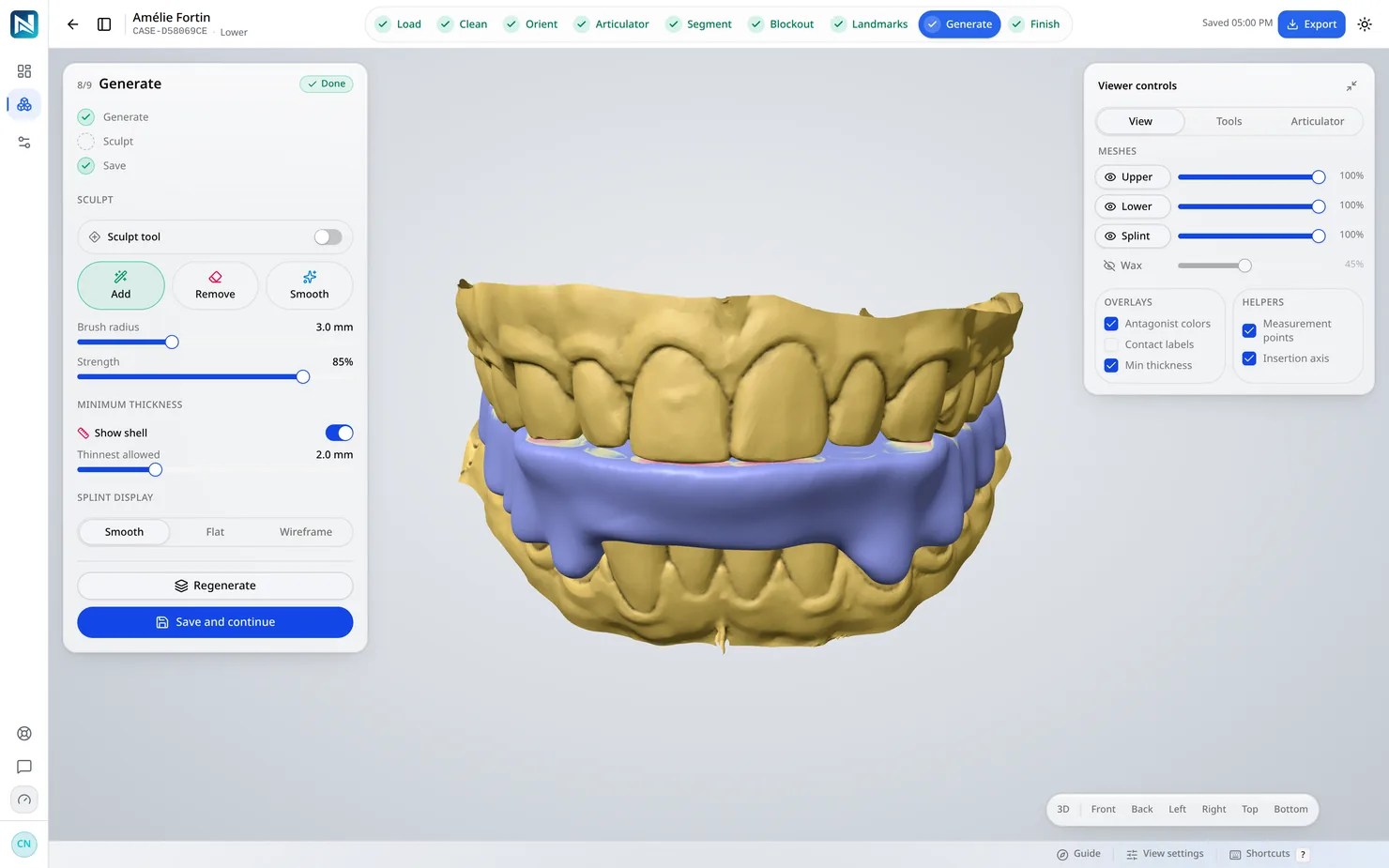
A hard, full-arch occlusal splint with a flat occlusal table. The blockout, the outline and the table are calculated; the insertion axis, the retention, the thickness and the landmarks are set by you.

  • In centric: balanced contacts on the canines, a light contact on the incisors, 20 µm on the posteriors.
  • Canine guidance in laterality and anterior guidance on the incisors in protrusion.
  • A minimum thickness measured from the blockout wax.
  • Retention you set; the other undercuts blocked out along the insertion axis.
  • A print-ready STL and a case report.
How it works
The designer at the Generate step: the nine steps across the top, all checked, and the generated splint on the lower arch

Designed today · Five steps

Dental model

Upper, lower or both · five steps · 5 credits an arch

The scan trimmed around the teeth and the gum you keep, set on a flat base. Both arches of a case are built in one frame, in occlusion.

  • A clean wall and a chamfered foot, with a base under the teeth or on the bite plane.
  • Hollow or solid; hollow, with the wall thickness you choose, it takes about a third of the resin.
  • The pair on three pins you place in the view: a cone or a dome on each, seated with almost no play.
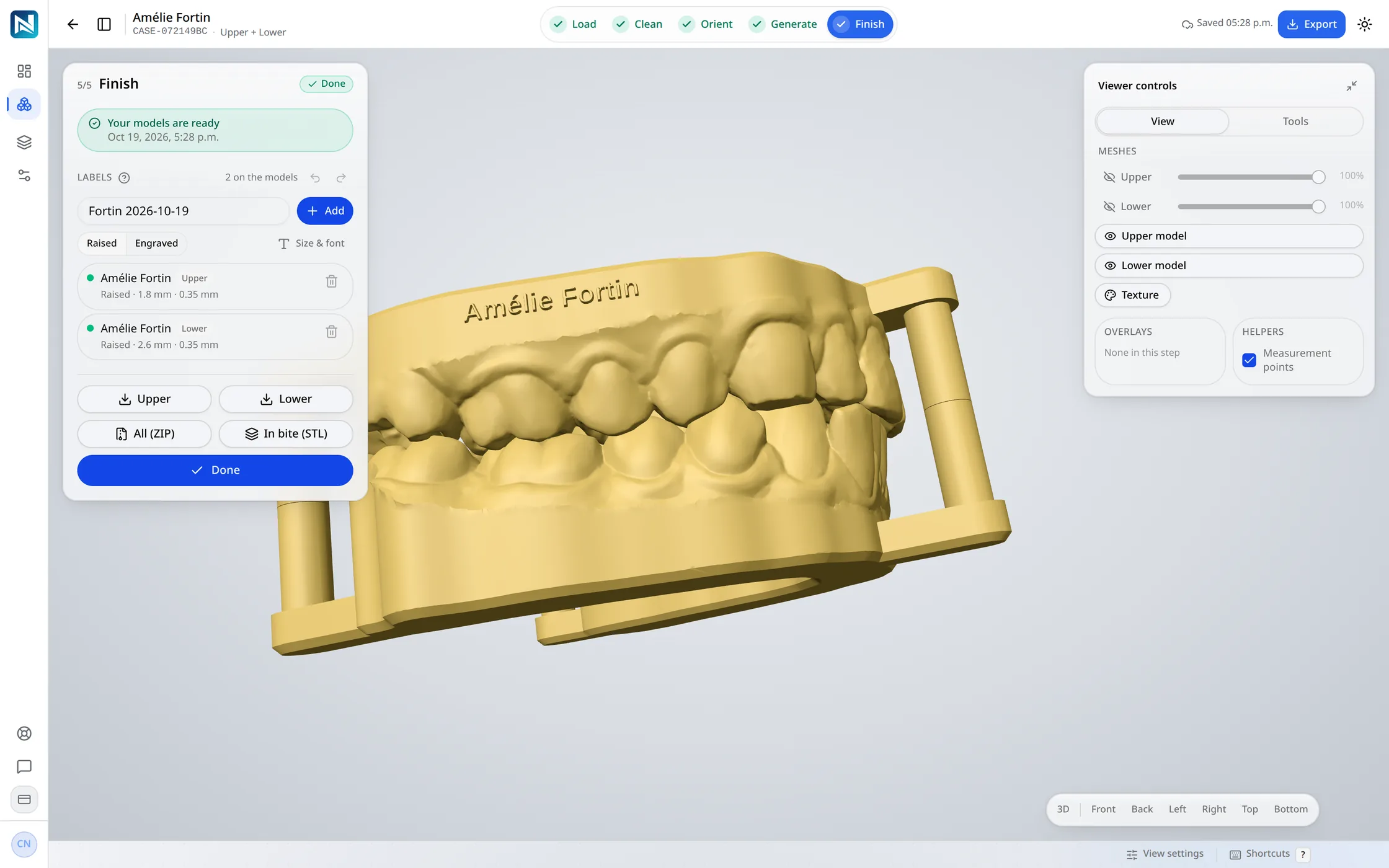
  • The patient's name written into the model, from your template.
  • An STL per arch, the pair in occlusion as one file, and a print check in the archive.
How it works
The NexorCAD designer at the end of a model case: the upper and lower models standing in their bite on three pins, the third in front, with the five steps complete across the top.

Designed today · Five steps

Thermoforming model

Upper, lower or both · five steps · 5 credits an arch

The arch to thermoform a sheet over, printed as low as it goes. The base follows the gum line and tilts with the teeth, so the collars front and back sit close to it.

  • The base fitted along the gum line, tilted up to 20° to follow the teeth.
  • Walls in draft, 5° by default and adjustable, so the sheet comes off the model.
  • A trim just under the gum line and a base as thin as you set it, from 0.5 mm.
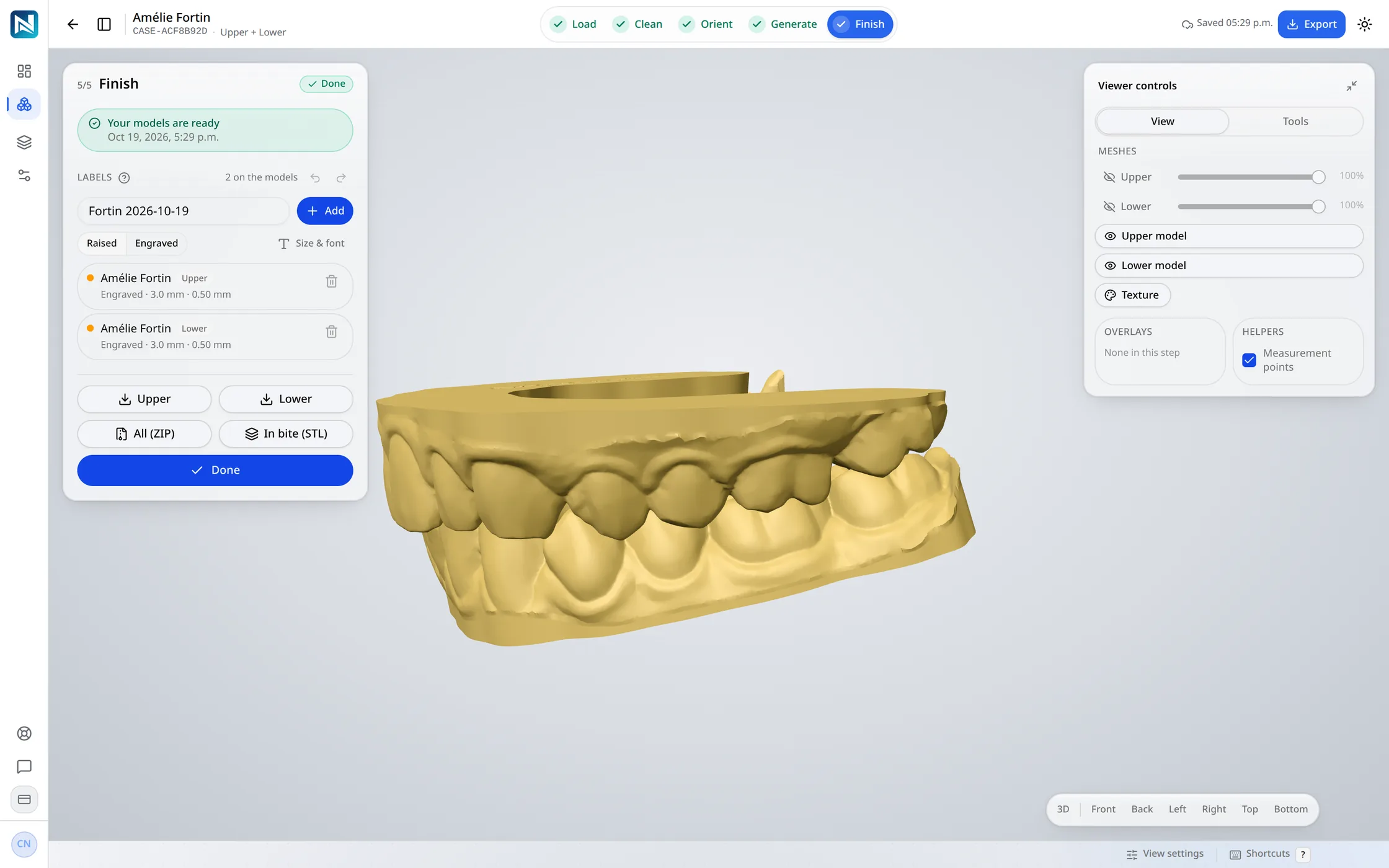
  • The patient's name engraved under the base.
  • A thermoforming upper and a dental model lower in one case; ordered through the API, it designs itself.
How it works
Thermoforming models, as low as they go

On the list

Recorded on the case, not designed yet

These products can be recorded on a case so the prescription is complete. NexorCAD does not design them.

  • Bite plate
  • Night guard
  • Aligner set
  • Retainer
  • Anatomic crown
  • Coping
  • Pressed crown
  • Provisional crown
  • Bridge
  • Anatomic pontic
  • Inlay / onlay
  • Veneer
  • Full denture
  • Partial denture
  • Bar segment
  • Attachment

Integration

From your lab software

Through the integration API, your software can create cases, send the scans and take the finished files back. A model case can be designed as soon as its scans arrive, each arch as the dental or thermoforming model ordered, and one link opens any case in the designer, already signed in.

Cases and scans from your software

Create the case, send the upper and lower scans, and take the finished files back when it is done.

Model cases design themselves

A model case can be designed as soon as its scans arrive, each arch as the dental or thermoforming model ordered.

One link into the designer

One link opens any case in the designer, already signed in. It works once, within 15 minutes.

Integration API/api/ext/v1
# 1  Create the case
POST /cases

# 2  Send the upper and lower scans
POST /cases/{caseId}/scans

# 3  A model case designs itself
POST /cases/{caseId}/design/run

# 4  Open it in the designer, signed in
POST /cases/{caseId}/designer-link

# 5  Take the finished files back
GET  /cases/{caseId}/files

Try it on your own cases

14 days and 75 credits free on your own scans: three splints. The sample case uses none.

No credit card. Creating the account takes about two minutes.