Night guard design software
Night guard design, from intraoral scan to STL
NexorCAD designs one kind of night guard: the hard, full-arch occlusal splint with a flat occlusal table, known as the Aubé™ splint. Blockout, outline and table are calculated; you check each result before going on.
14 days and 75 credits free: three splints. No credit card.
Which night guard it designs
“Night guard” covers several appliances. NexorCAD designs one of them: the hard, full-arch occlusal splint with a flat occlusal table. It is what many night guard prescriptions mean.
- Hard and full-arch, upper or lower.
- In centric, by default: balanced contacts on the canines, a light contact on the incisors, 20 µm of clearance on the posteriors.
- Canine guidance in laterality and anterior guidance on the incisors in protrusion.
- Not designed: soft or dual-laminate guards, sports mouthguards and partial-coverage appliances.
From intraoral scan to STL
You load the upper and lower scans as the scanner exported them, STL or PLY, and go through nine steps. In our internal tests, on our founder's own cases, that takes 5 to 10 minutes. Generating the splint takes a few seconds of server time, with nothing for you to do meanwhile.
What is calculated, and what you decide
Each step shows its result before you move on, and any step can be run again without using an export.
- Calculated: cleanup of the scans, the undercut blockout, the outline from your landmarks, the occlusal table and its contacts.
- Set by you: the insertion axis, the retention, the minimum thickness, the landmarks and the five occlusal zones.
- Checked by you: the contacts, shown in colour with their values, and the thickness, with thin areas shown in red.
3D printed night guards
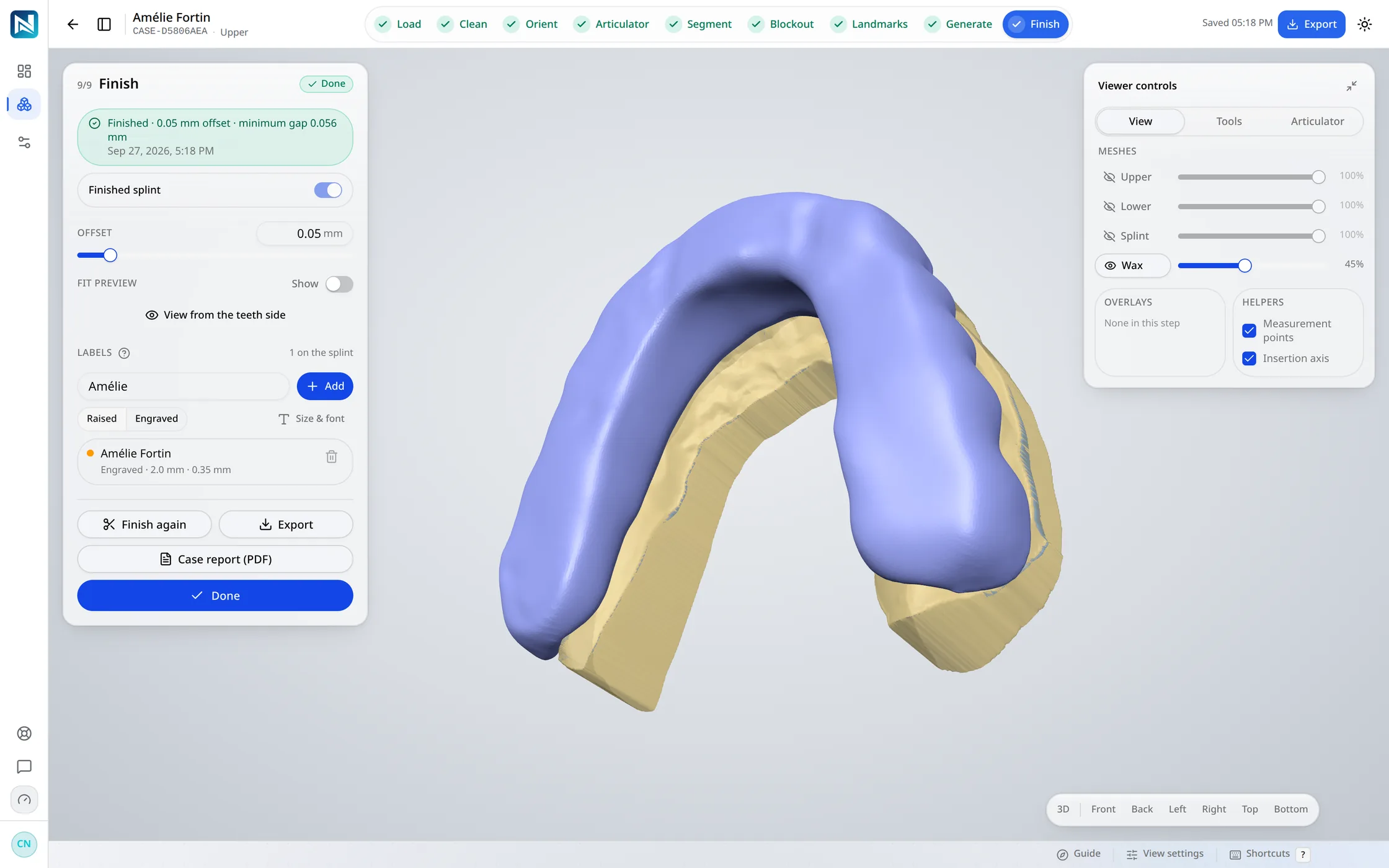
The output is a closed STL at full resolution, with the fitting surface cut against the wax and the gap you choose, and an optional raised or engraved label. Print it on your own printer in a resin meant for occlusal splints, or send it to whoever prints for you. NexorCAD does not print and does not choose your material.
The digital splint workflow
Nine steps, scan to STL
The same route on every case. Each step shows its result before you move on, and any step can be run again.
- 01Load
- 02Clean
- 03Orient
- 04Articulator
- 05Segment
- 06Blockout
- 07Landmarks
- 08Generate
- 09Finish
Questions
Is NexorCAD night guard software or splint software?
Both words describe what it designs: a hard, full-arch occlusal splint with a flat occlusal table, which is what many night guard prescriptions mean.
Does it design soft night guards?
No. It designs hard occlusal splints. Soft and dual-laminate guards and sports mouthguards are not designed in NexorCAD.
Which scanners work?
Any intraoral scanner that exports the upper and lower arches as STL or PLY. The file is read as it is, with no conversion.
How is it paid for?
With a monthly plan: Starter $29 CAD with 125 credits (5 splints), Lab $79 with 500 (20 splints), Pro $149 with 1500 (60 splints), before tax; past that, $9, $6 or $4 a splint on the next invoice. A splint export is 25 credits, spent when you export its final STL. The free trial gives 14 days and 75 credits, with no card.
Related
Try it on your own cases
14 days and 75 credits free on your own scans: three splints. The sample case uses none.
No credit card. Creating the account takes about two minutes.