Release notes

What's new in NexorCAD

Every version, newest first, as the app's own What's new panel lists it. The pictures are the application itself, on real cases.

Version 1.11

Latest
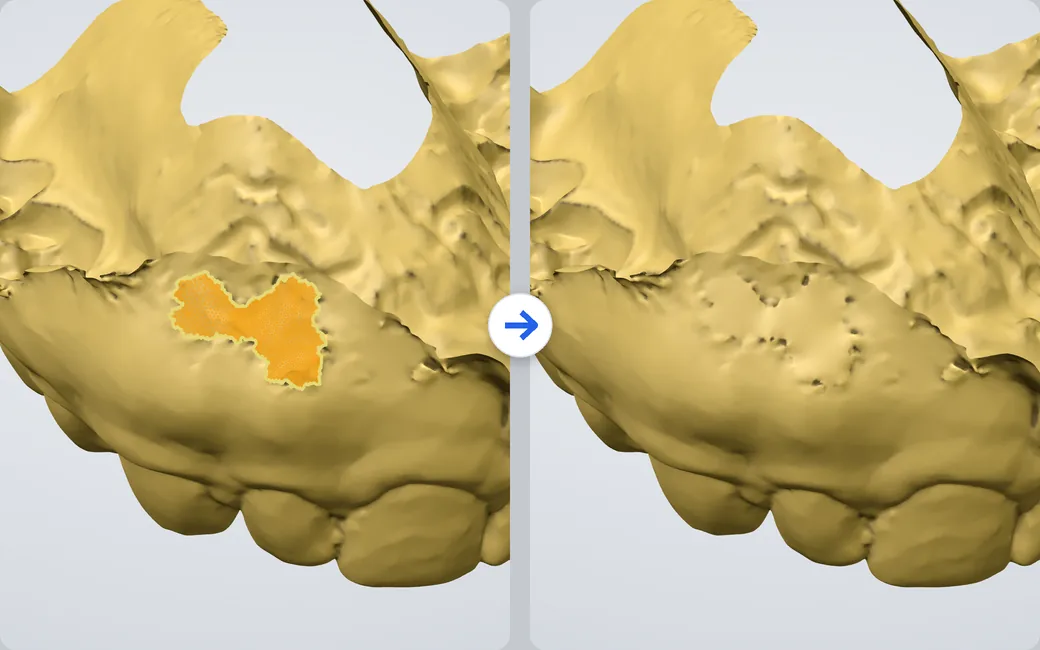
The Clean step on the palate of an upper arch: a scanner hole filled in amber where the patch will go, then the same hole closed.

Close a hole, seen first

Every hole is outlined. Hover one and its patch shows; a click closes it, carrying on the curve of the scan around it.
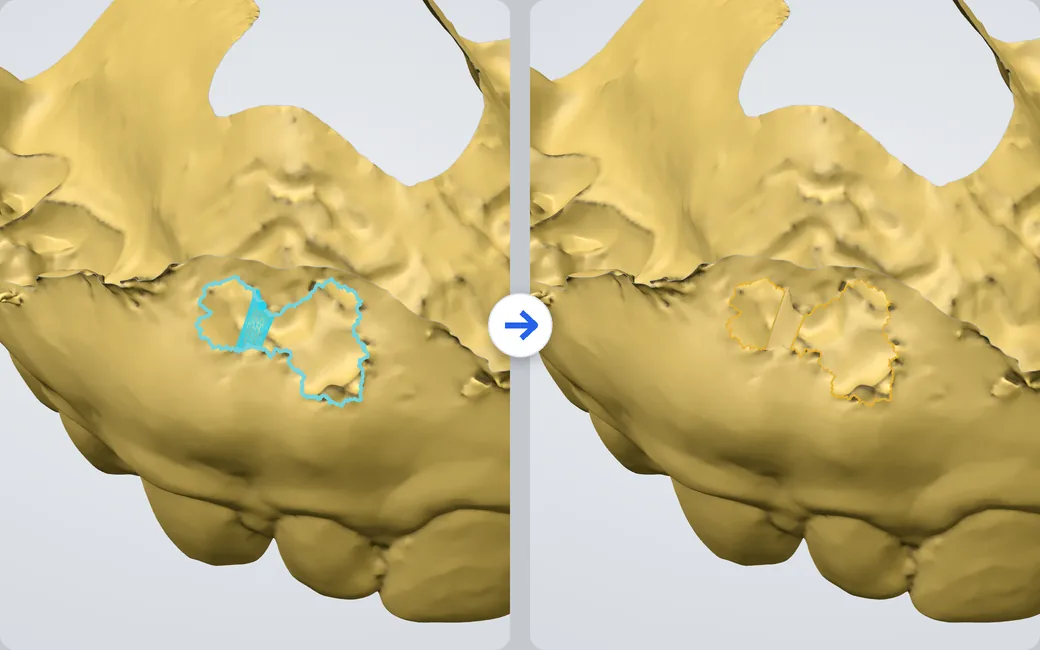
A hole in the palate outlined in blue with a strip across its narrow middle, then the strip built and the two smaller holes outlined in amber.

Bridge a gap

Click one border, then the border across: a strip joins them, so a long tear closes in pieces.
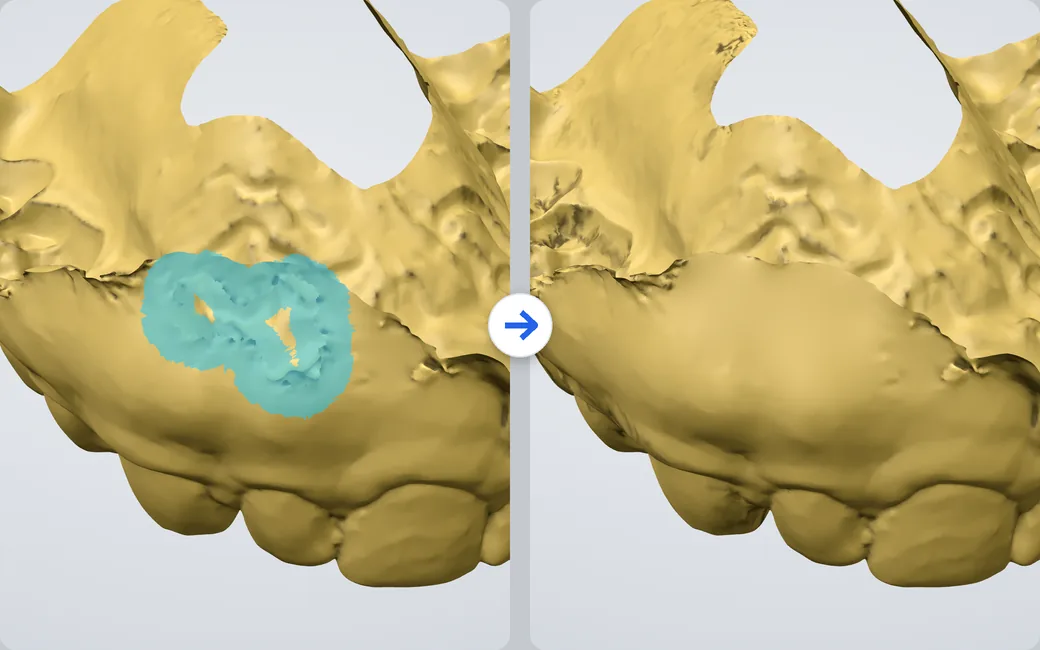
A torn area round a hole in the palate painted in blue, then rebuilt as one smooth surface.

Rebuild a torn area

Paint it with the brush and Rebuild: the area is made again from its edge, smooth and joined to the scan around it.
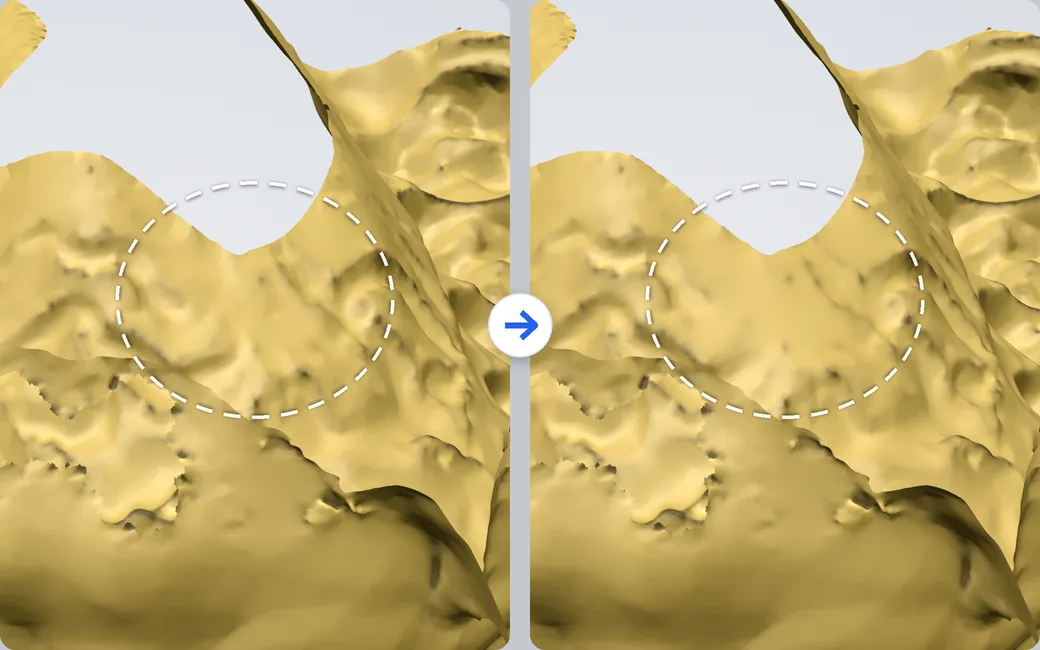
A bumpy patch of the palate marked by a dashed ring, before and after smoothing.

Smooth what is rough

Smooth evens out a painted area by the amount you set and keeps the shape around it.

New

  • Clean has a repair kit: paint the area to fix with the Brush (Ctrl paints it off, [ and ] change its size), then Rebuild, Smooth, Remesh or Fill it
  • Rebuild takes a torn or folded area out and makes it again from its edge, carrying on the curvature of the scan around it
  • Smooth evens out an area by the amount you set, and moving the slider right after redoes it; Remesh gives an area even triangles without losing detail
  • Holes: every hole is outlined; hover one to see the patch that closes it, click to close it, whatever its size
  • Bridge joins two borders across a gap or a slit with a strip you see before it is built, so a long tear closes in pieces

Improved

  • Holes close with a surface that carries on the curve around them instead of a flat patch, and the repairs run without freezing the view

Fixed

  • Close holes found none on some scans, because their outer edge was not recognised; it is now, and saved touch-ups no longer carry flattened triangles

Version 1.10

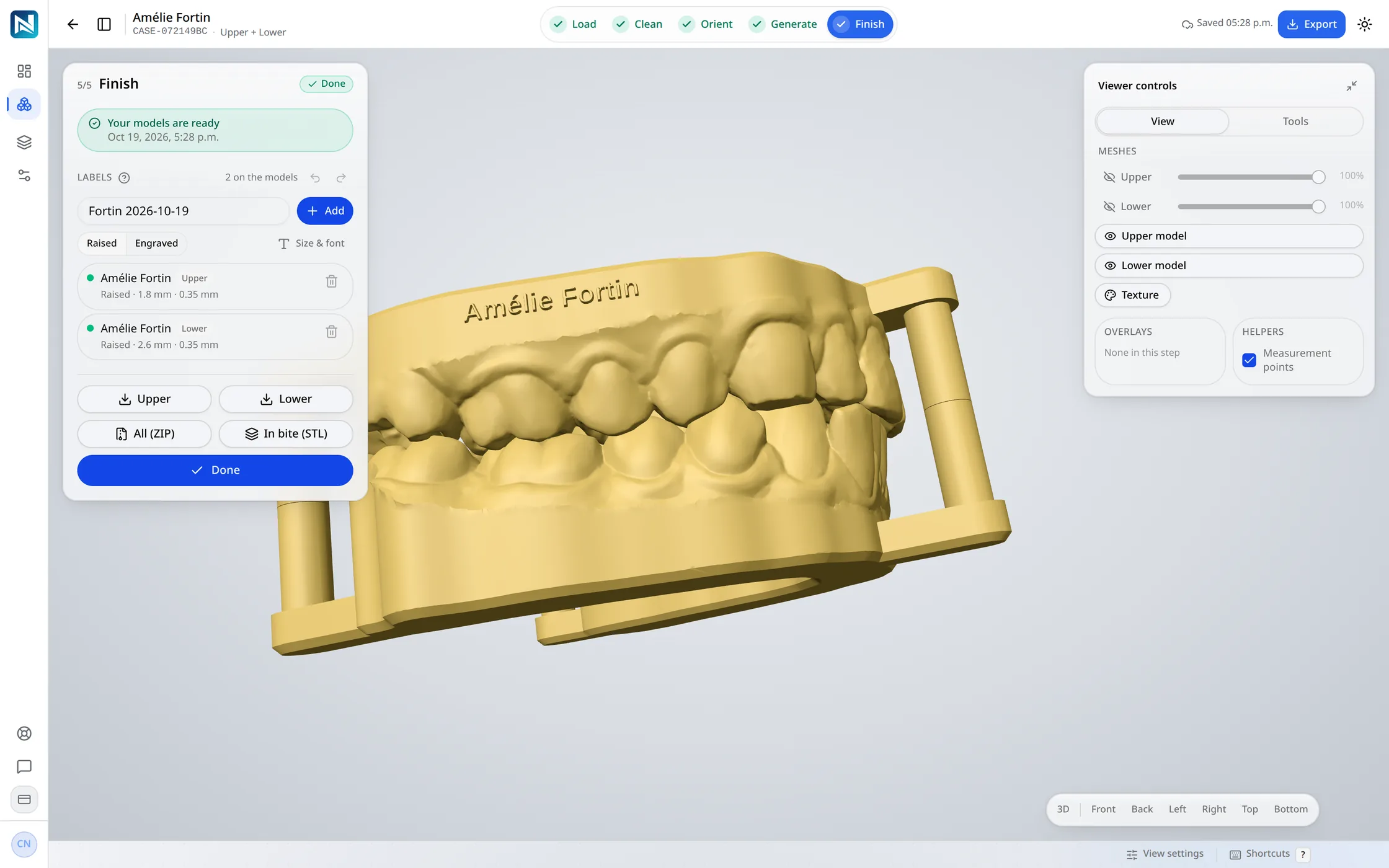
The NexorCAD designer at Finish: two dental models in their bite on three pins, the patient's name raised on the upper model's wall.

Models on three pins

A cone or a dome on each pin, placed and turned in the view, seated with almost no play.
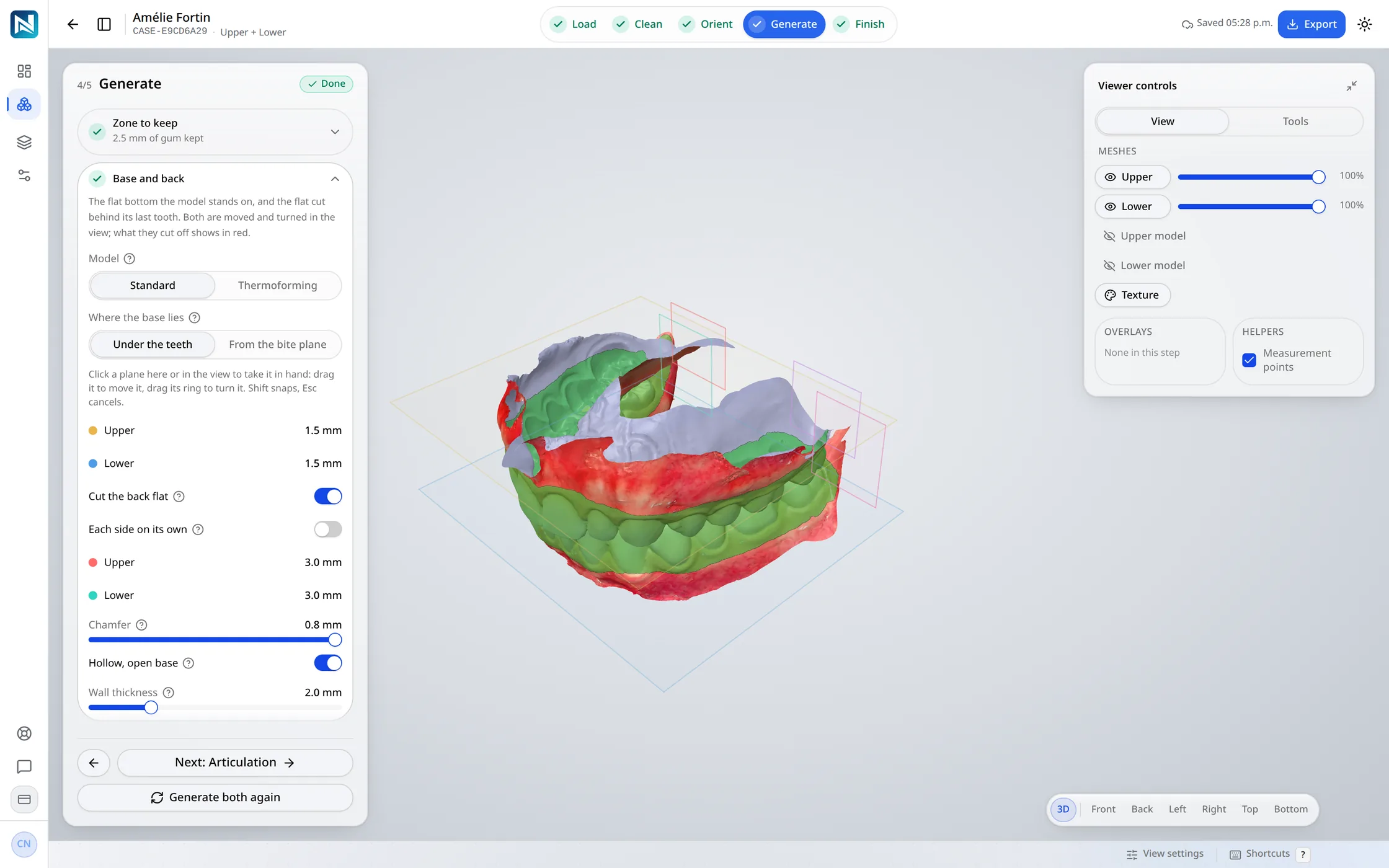
The Generate step of a model case: the Base and back section open in the panel, the base plane and the back cuts drawn around the scans.

Planes in the view

The base and each back cut are moved and turned in the view, one at a time, each in its own colour; what they cut off shows in red.
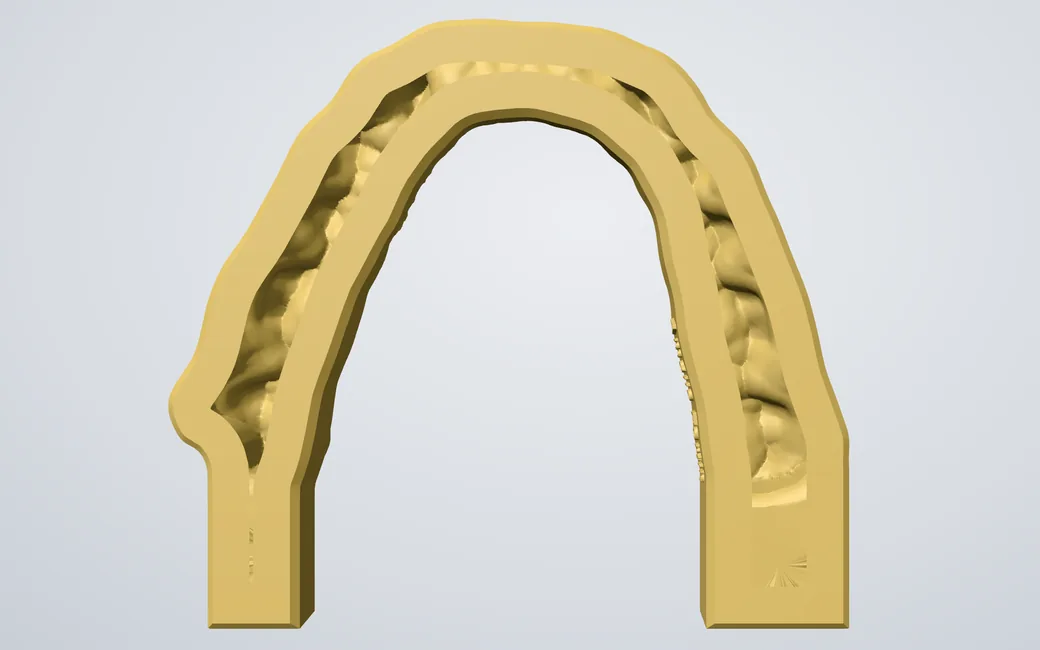
A hollow dental model seen from below: its open base and the chamfered opening.

Hollow, on a wider base

The opening is chamfered inside, so more of the base meets the build plate.

New

  • Dental models articulate on three pins: one behind each last molar and one in front, each ending in a cone or a dome you choose, placed and turned in the view, and seated with almost no play
  • The base and the back cuts are planes you move and turn in the view, one at a time and each in its own colour; what they cut off shows in red
  • Each end of each arch can be cut on its own: its own distance, its own angle, or left uncut, and a model on its own ends on its own clean cut
  • The base can be tilted and its depth under the bite plane set for each arch; the plane now cuts the scan instead of sinking under it
  • Thermoforming models can be cut flat at the back, behind the last teeth or through them, leaning out like their walls, and their settings have their own group in Design Settings
  • An automatic design writes the patient's name into each model, with a switch for dental models and one for thermoforming models
  • Several accounts in one browser: add a workspace from the sidebar and switch between them without signing in again; logging out ends them all
  • At Finish, a model's labels are edited, moved and turned in place, and a tilted label keeps its angle
  • A model case's page downloads both models, the pair in their bite or one arch, from one menu
  • nexordental.com is redesigned, in light and dark, with a page for each product: the Aubé™ splint, dental models and thermoforming models

Improved

  • Hollow models stand on a wider base: the opening is chamfered inside, so more of the base meets the build plate
  • Scans, splints and models are shaded smoothly in the designer, the case preview, the share page and the report pictures, with no streaks on flat faces
  • Export credits are recounted: a splint is 25 credits and a model 5 an arch, so a pair of models is 10
  • Changing an arch's order between a dental and a thermoforming model builds that model again and keeps its zone; the pins come off when the order no longer makes two dental models
  • A report says it is being prepared while its pictures render, and Orient opens on the arch a one-arch case has
  • The integration API's documentation reads without JavaScript, as plain HTML and Markdown
  • The factory design settings are the ones our founder uses, and the Modules page matches the rest of the app

Fixed

  • The Clean touch-up's hole filling no longer leaves triangles facing the wrong way, and two holes that meet at one point are filled as two

Version 1.9

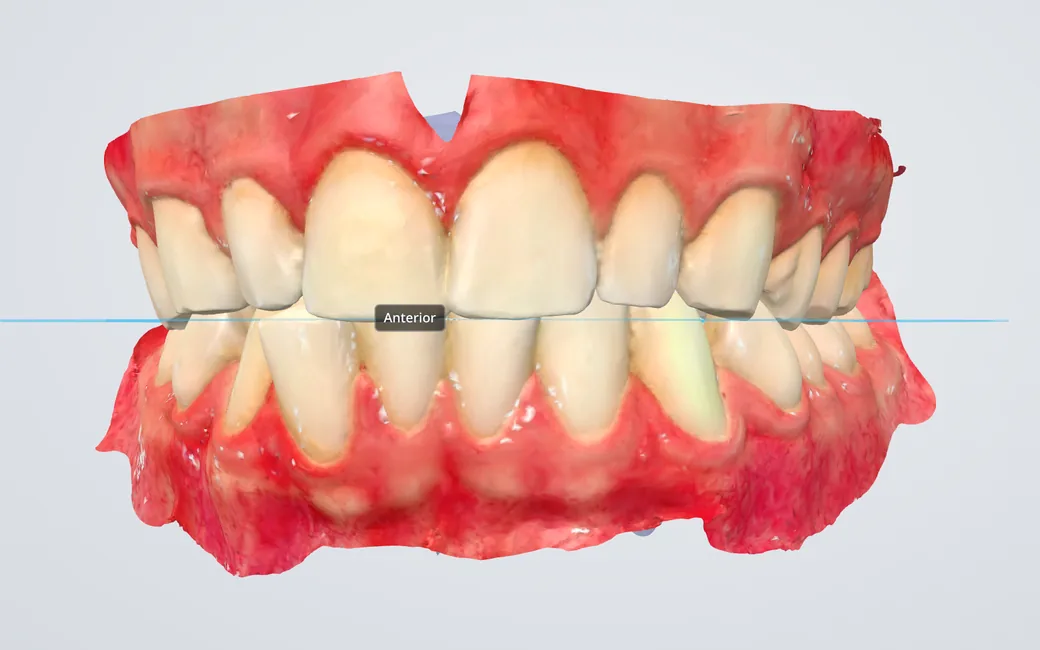
The NexorCAD designer at the Orient step: an upper and a lower intraoral scan in their bite, drawn in the scanner's colours, pink gums and natural teeth.

Scans in their own colours

A scanner's colours stay on the arches through every step. Shown: the founder's own intraoral scan, in its bite.
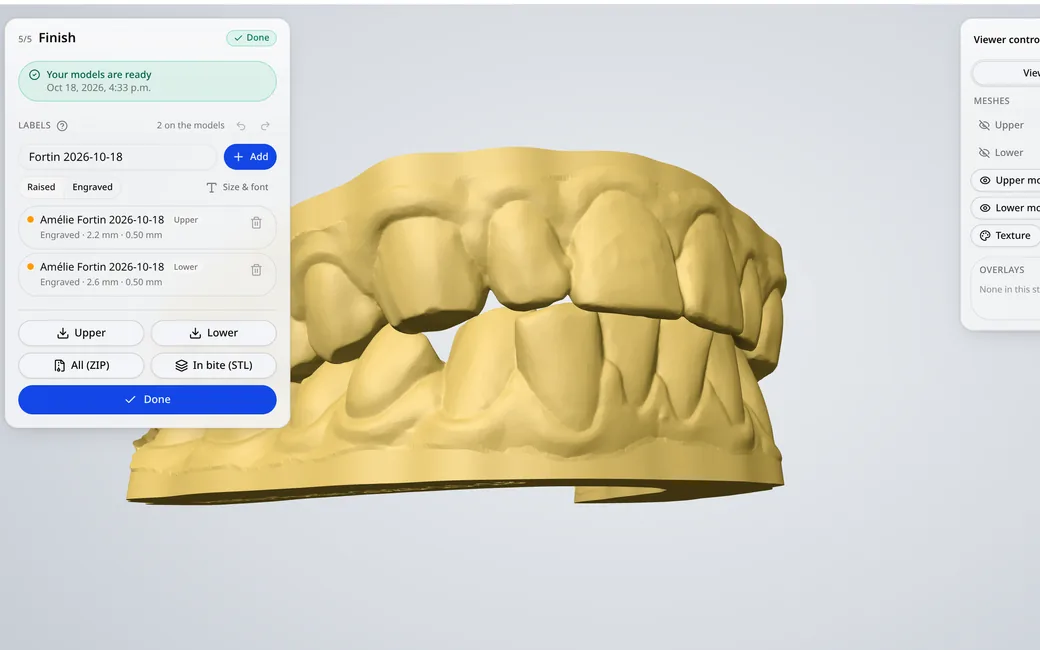
The NexorCAD designer at the end of a model case: two thermoforming models in their bite, low with drafted walls, beside the Finish panel and its labels.

Thermoforming models

As low as they go, the base along the gum line, the walls drafted so the sheet comes off, the name engraved under the base.
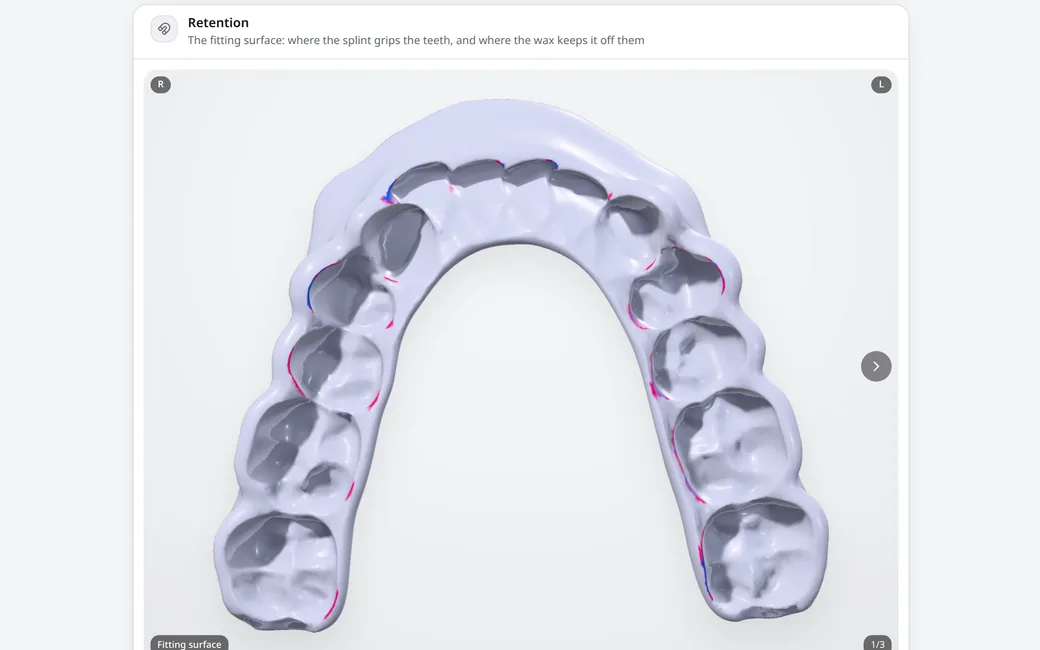
The Retention section of a case report: the splint's fitting surface, magenta where an undercut is kept as retention and blue where the wax fills it.

Retention in the report

The splint's fitting surface shows where it grips the teeth and where the wax keeps it off them, from three angles.

New

  • Thermoforming models: as low as they go, the base along the gum line, the walls drafted and the name under the base. Each arch is made as it is ordered
  • One case can make a splint and its models: Load, Clean and Orient once, then each its own Generate and Finish
  • Plans are back: Starter, Lab and Pro, paid by card with their exports included each month, and credits for the rest
  • Scans that carry their colours are shown in them, in every step (View → Texture)
  • The report shows where the splint holds: the retention zones on its fitting surface from three angles, and the wax on the model, with a legend
  • Touching up the wax paints its retention on it, live, as you sculpt
  • Settings → Notifications chooses what reaches the bell, and what you have read stays read on every device
  • Done at the end of Finish hands the case to your lab software: until then the integration API holds back a splint or model you may still be labelling, and each file says whether it changed since it was last fetched
  • Photos and videos in a support request, and a computer check that says whether a machine is ready for the designer
  • Share links carry the models too: each file to download, the models' report and its PDF, and one clear panel to approve or ask for changes
  • Contacts: the people you send cases to are kept, picked from a list in the send dialog, with a ready-made message in English or French
  • Models have their own report, with a one-page PDF

Improved

  • A new occlusal scheme: the canines and incisors meet the splint more firmly, only the guiding teeth guide from 1 mm, the posterior table is nearly flat, and Generate checks the contacts
  • The blockout wax is one smooth volume: no more pillars on the walls, and the retention is the depth it says
  • The splint's edge hugs the tooth down to the outline, with a fine radius inside and a soft round outside
  • Labels follow the splint's surface, round a canine's turn and across a flared wall
  • Dental models: scans that arrive teeth up are set in their bite, the model ends where the crowns end, and Finish is one list with one Apply
  • Lighter everywhere: meshes arrive up to nine times smaller, coloured scans included, a report page is ten times lighter and its PDF seven, STL downloads are half the size, and the app itself opens with a third less to load
  • Faster: the next step no longer reloads the scans, and Generate and Finish take up to 40 % less time on the server
  • Emails are redesigned: clearer, with what they are about on top, and readable in dark mode
  • Losing the network no longer signs you out, a shared computer never shows the next person the last one's data, and new accounts confirm their email address first
  • The French says plaque occlusale and scans intra-oraux throughout

Fixed

  • Sculpting no longer crumples the wax, or pushes it through itself in a narrow gap between teeth
  • The web report shows the splint as it is now, and the viewer's View tab no longer goes blank from the Articulator step on
  • A right-click no longer picks the menu item under the pointer, and the get-started checklist stays closed once put away

Version 1.8

The NexorCAD designer at the end of a model case: the upper and lower models standing in their bite on three pins, the third in front, with the five steps complete across the top.

Dental models

An arch on a base, hollow or solid, and an articulated pair on pins, from the scans you already have.

New

  • Dental models: an arch on a base, hollow or solid, and an articulated pair on pins, from the scans you already have
  • A Modules page shows everything the designer builds, what each one needs and what comes out of it
  • Your lab software can create cases, send the scans and collect the files on its own; model cases design themselves, and a link opens any case in the designer, already signed in
  • Ctrl+Z through the whole designer: the segment brush, the landmarks, sculpting, the labels and the occlusion alignment
  • The designer saves as you work, so a reload no longer costs you a touch-up in progress
  • Cases can be archived out of the working list, brought back, or duplicated to try a variant

Improved

  • Exports run on credits: no plans and no prices in the app, you ask and we add what you need
  • Long lists load a page at a time, so the case list and the Activity page open as fast with thousands of cases as with ten
  • An occlusion record settles onto the arch instead of being dragged off it, and Open to this clearance works straight after an alignment
  • Added to a phone's home screen, the app sits below the status bar, fields no longer zoom in, and the tab bar stops covering the end of a page

Fixed

  • A case's files are served only to the workspace they belong to

Version 1.7

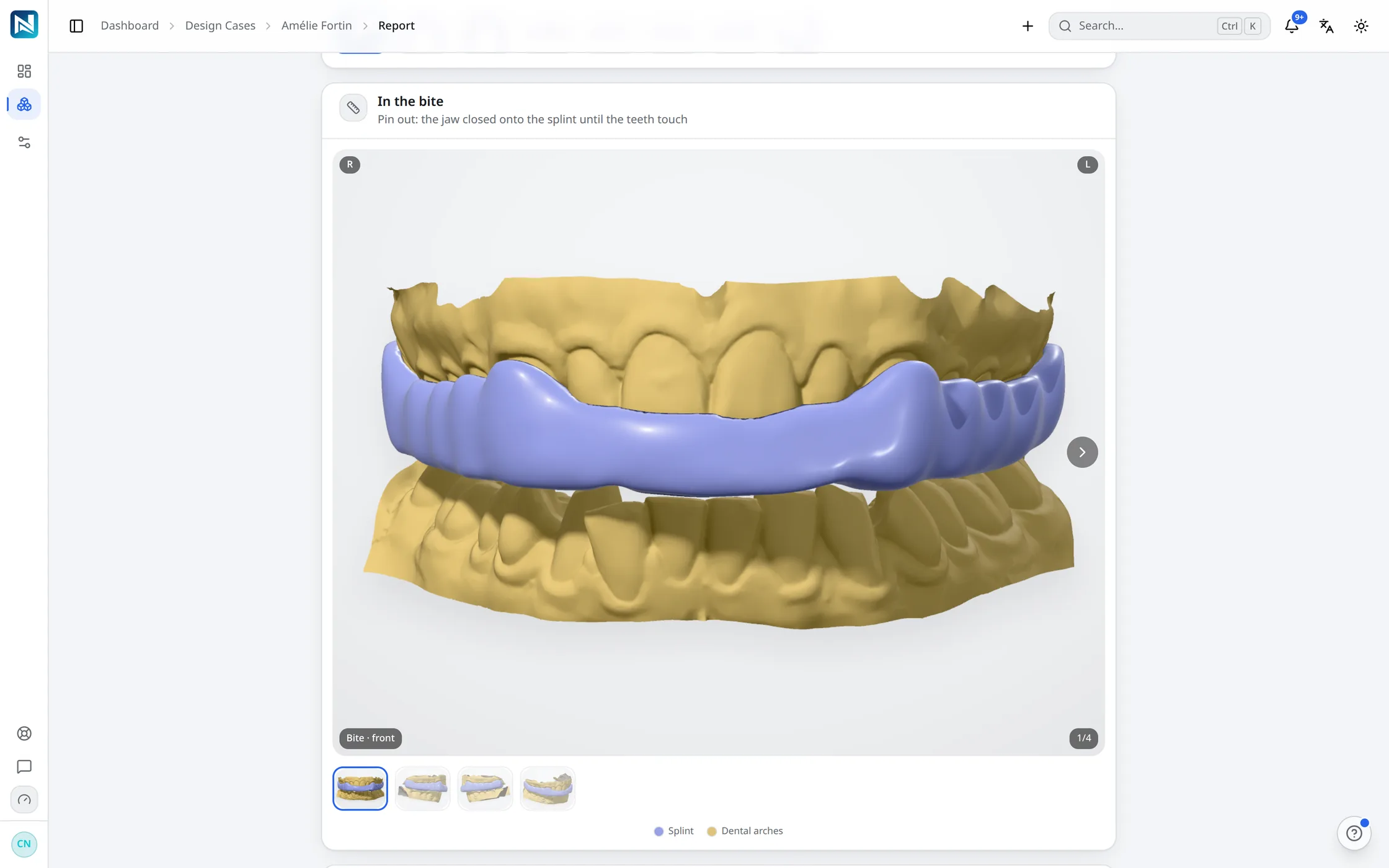
A NexorCAD case report on a computer: the splint in the bite, from several angles.

The report, on any screen

A finished splint shows its report at once, and one link sends it for review or to the lab, with no account needed.

New

  • Send a case for review or to a lab: one expiring link with the splint in 3D, the jaw movement and the report - no account needed
  • The designer speaks French, from the top bar to every step
  • A finished splint shows its report right away, with Send for review and Send to lab
  • The activity page lists what really happened: each step, each finish, each shared link

Improved

  • When a step cannot run, you read why in plain words, in your language
  • Progress is honest: the designer counts the seconds instead of inventing a percentage
  • Deleted cases can be restored for 30 days; your case files are private to your workspace
  • The printed report shows what was ordered, the shade, your notes and your logo

Version 1.6

New

  • Command palette searches your cases, not just pages
  • Keyboard shortcuts everywhere - press ? for the list
  • Activity feed and a working notification inbox
  • Bulk selection, column picker and CSV export on the case table
  • Security page: change your password, see and end your sessions

Improved

  • Sidebar state, table density and filters are remembered
  • Case filters live in the URL, so a filtered list is a link

Fixed

  • Unknown URLs land on a real 404 instead of a blank page

Version 1.5

New

  • Anterior shelf and rebuilt splint top surface
  • Occlusal scheme step with per-tooth stops and guidance

Improved

  • Blockout wax cuts the splint at Finish

Version 1.4

New

  • Upper-arch splints end to end
  • Server-rendered splint report, readable on a phone

Try it on your own cases

14 days and 75 credits free on your own scans: three splints. The sample case uses none.

No credit card. Creating the account takes about two minutes.