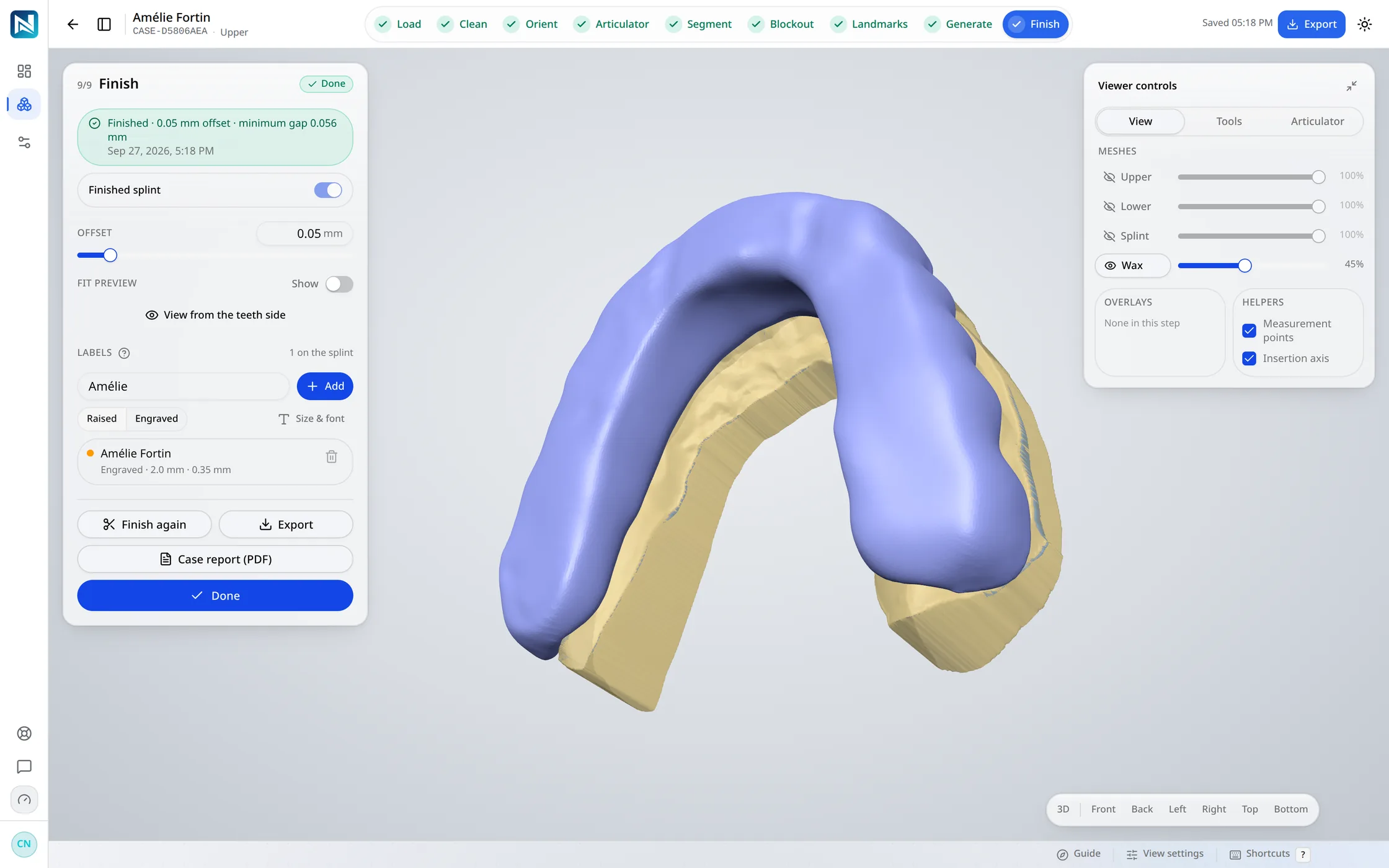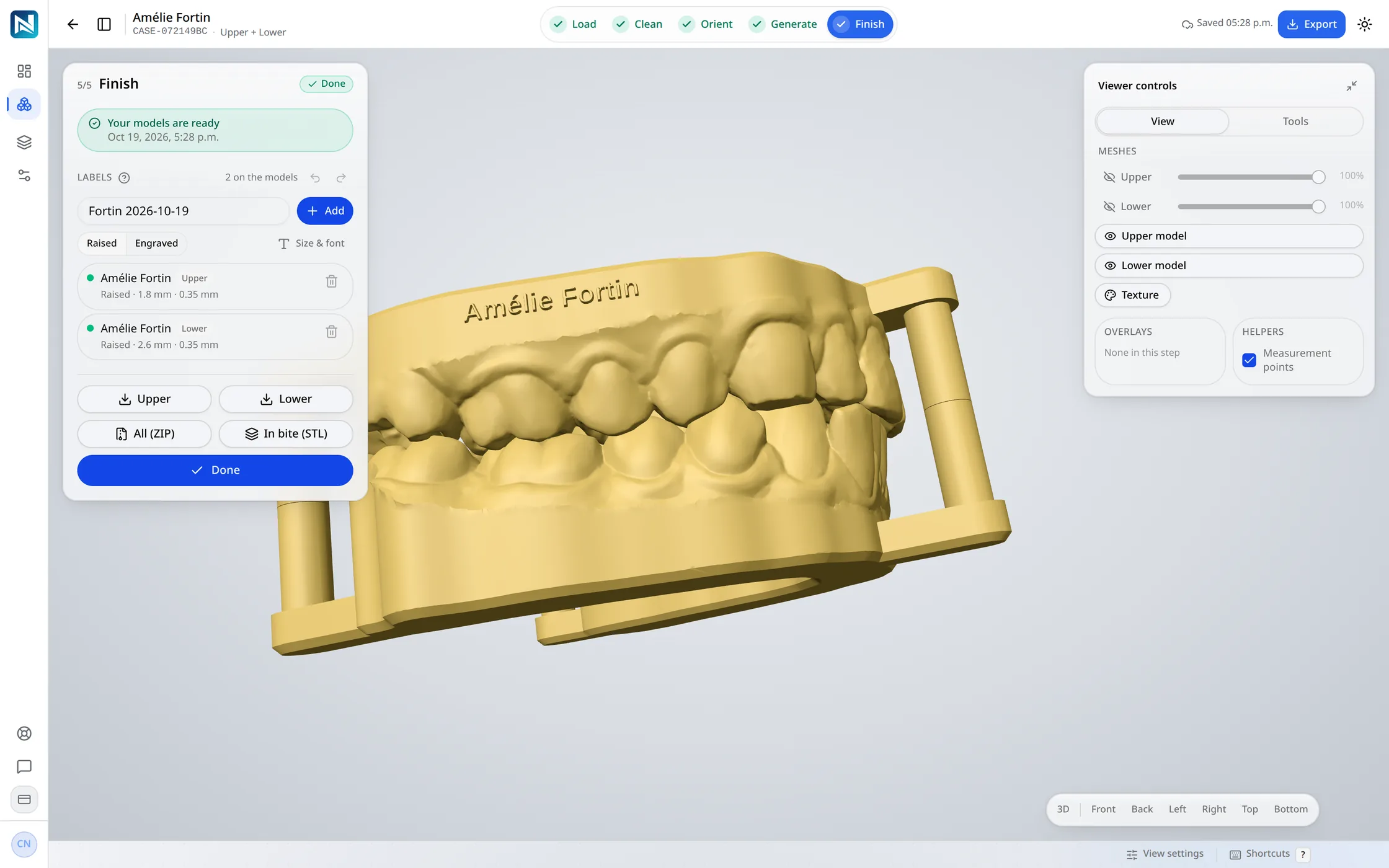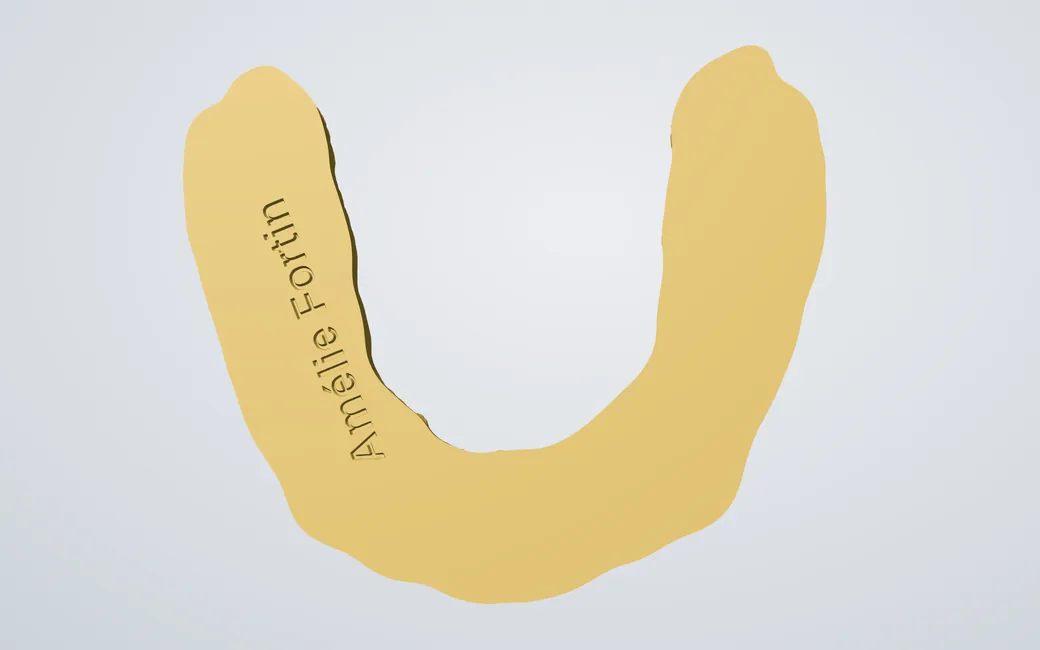
The name under the base
Engraved 0.5 mm under the base, so the side the sheet is formed over stays clean.
Thermoforming model
The arch to thermoform a sheet over, printed as low as it goes. The base follows the gum line and tilts with the teeth, so the collars front and back sit close to it, and the walls lean out so the sheet comes off.
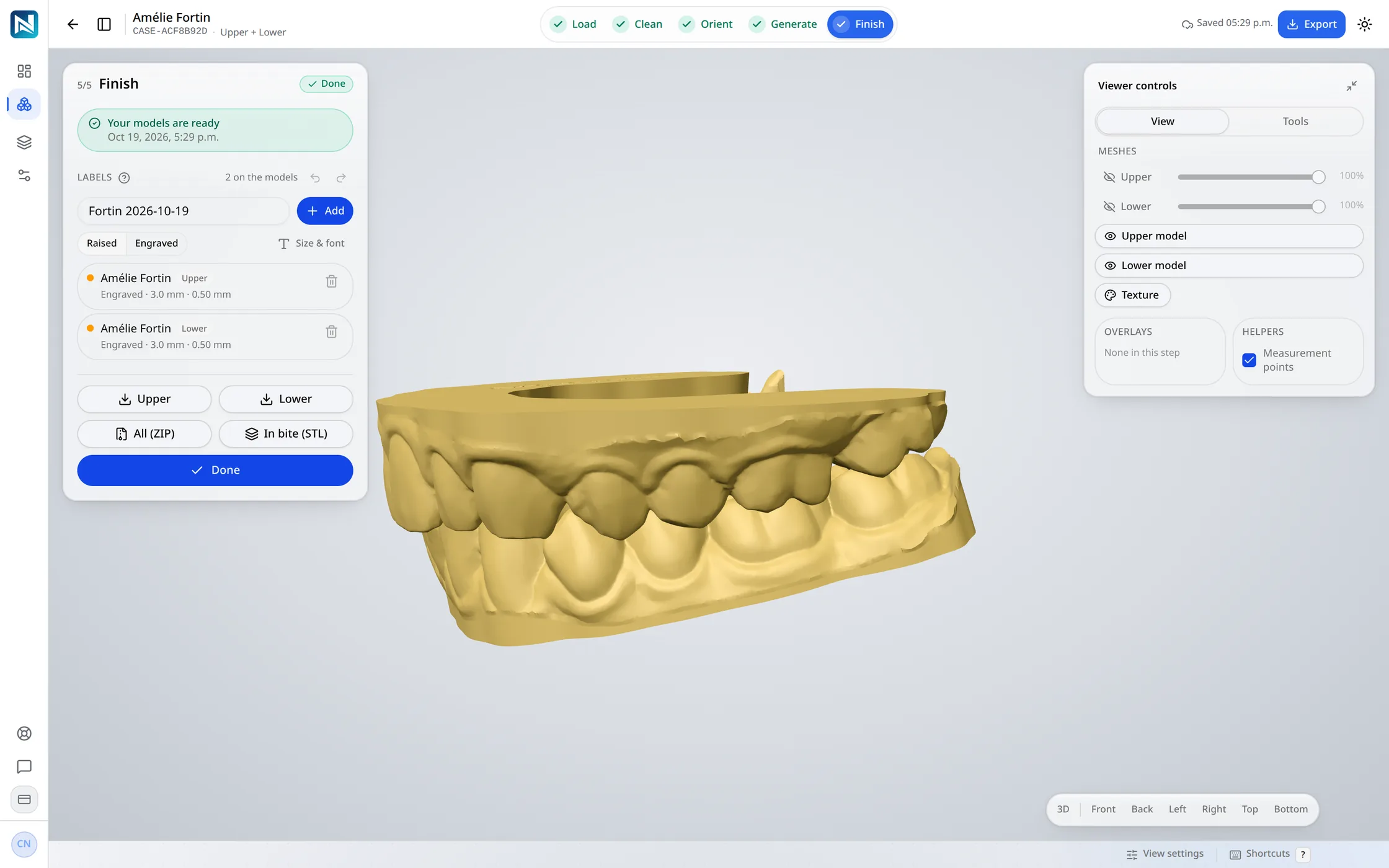
The same five steps as a dental model, with a thermoforming model's own settings at Generate. A case whose order names a thermoforming model opens on them.
Step 1 of 4
Order a thermoforming model on the case, drop the scans, and choose Generate the model.
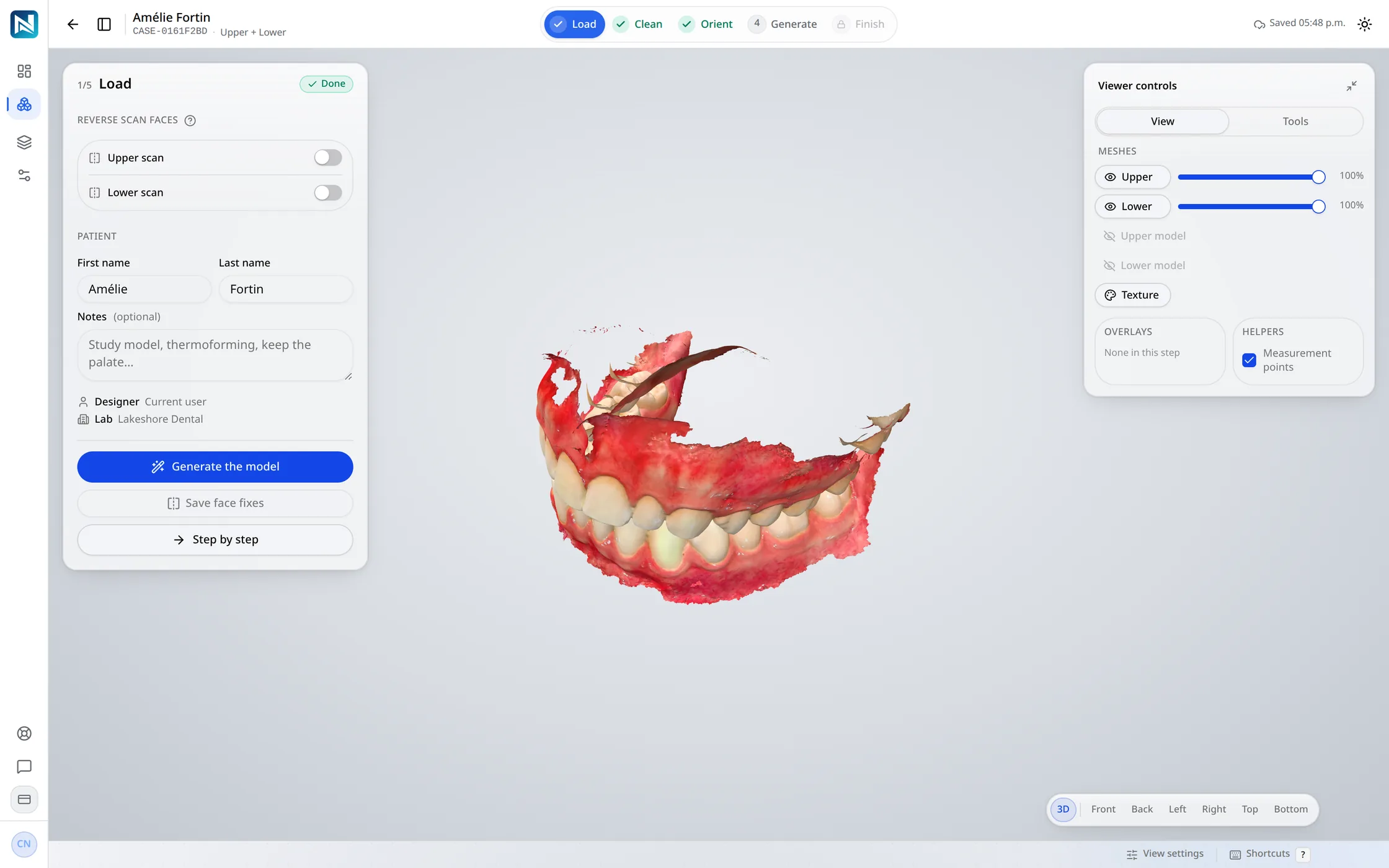
Step 2 of 4
The teeth are found along the gum line, shown green on the scan, with the gum kept under the line the base follows.
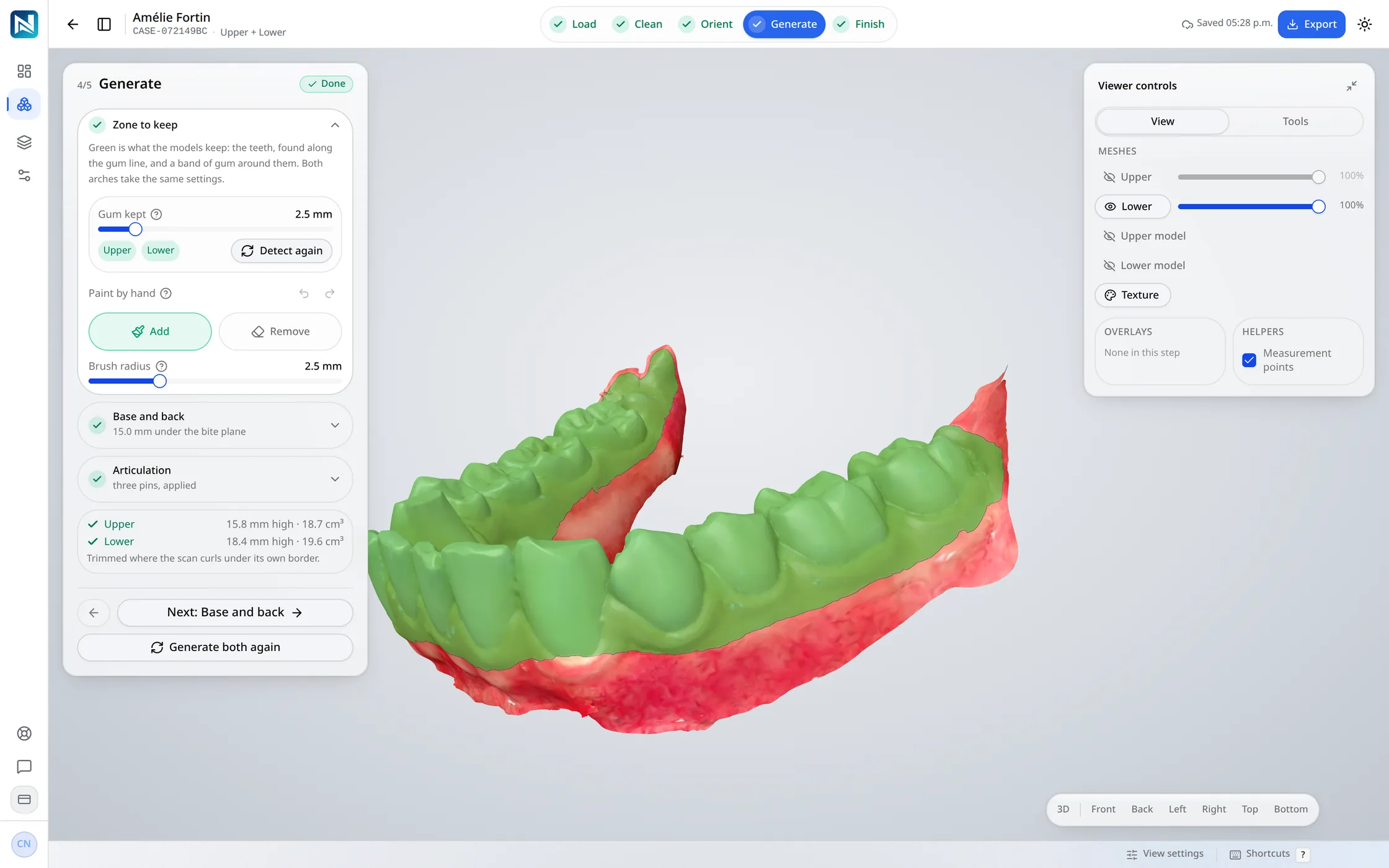
Step 3 of 4
The base follows the gum line and tilts with the teeth, up to 20°, so the collars front and back sit close to it.
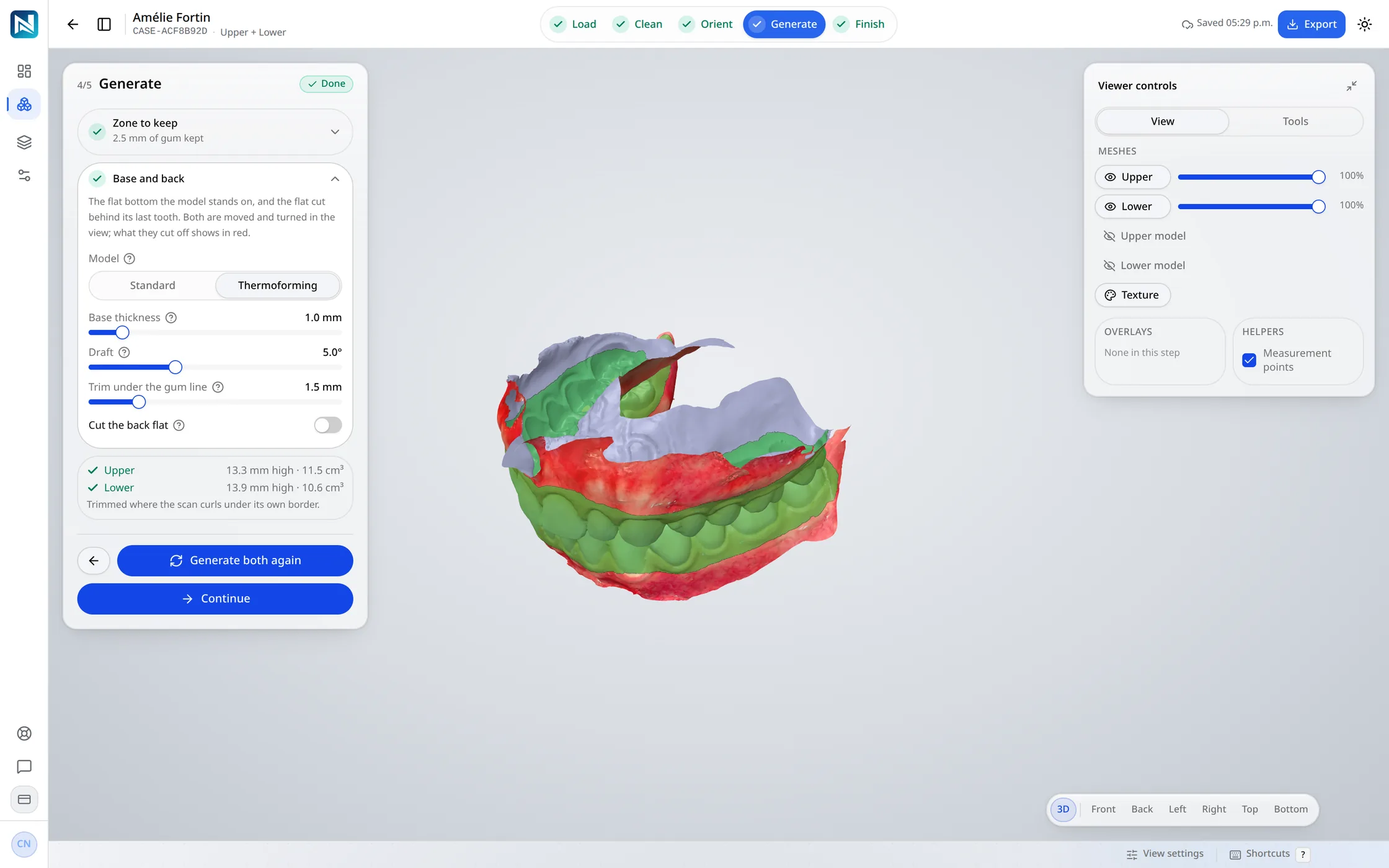
Step 4 of 4
The patient's name is engraved under the base, out of the sheet's way.
Engraved 0.5 mm under the base, so the side the sheet is formed over stays clean.
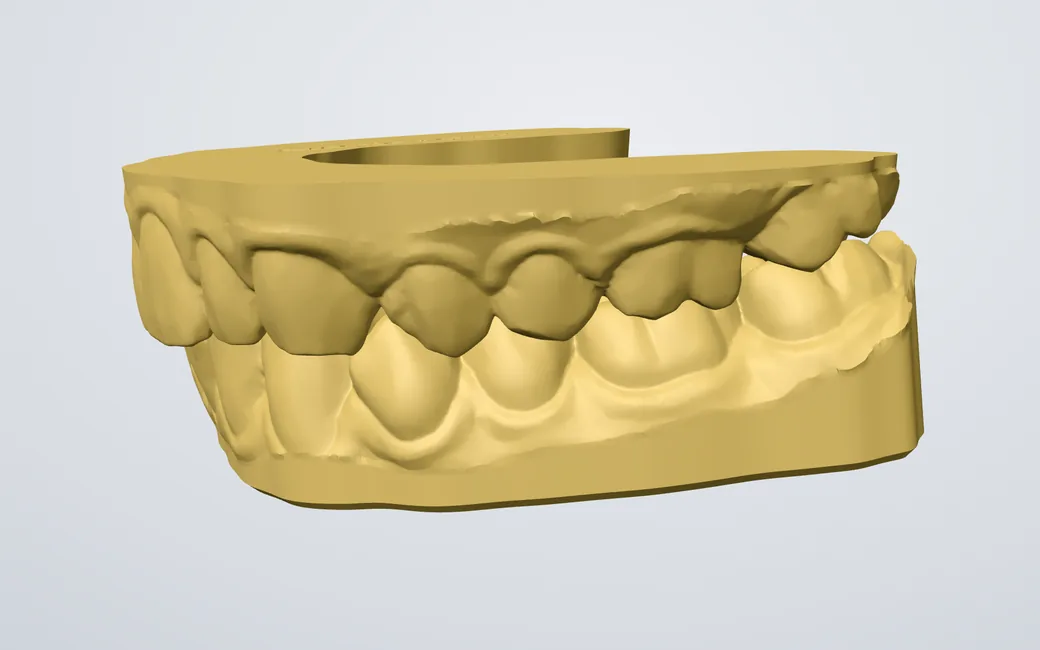
A thermoforming upper and a dental model lower in one case, each built as its order line asks.
Base thickness, draft and trim in the Generate panel, with your workspace's defaults in Design Settings.
The base follows the gum line and tilts with the teeth instead of lying flat under the lowest point.
The walls lean out at the draft you set, smoothed where they would cross themselves.
The name goes under the base, never on a wall the sheet is pressed against.
Through the integration API, a thermoforming model designs itself as soon as its scans arrive.
How the two are set up, line by line. No particular product: installed dental CAD in general.
| What | Installed desktop CAD | NexorCAD |
|---|---|---|
| Where it runs | Installed on each workstation | In a recent browser, on any computer the test page accepts |
| Updates | Installed computer by computer | Everyone works on the current version |
| Your files | On the workstation that made them | In your workspace, hosted in Québec, exportable at any time |
| Paying | A licence per workstation | A monthly plan; you pay for what you export |
It is built to have a sheet pressed over it: as low as it goes, its base along the gum line, its walls leaning out so the sheet comes off. A dental model is built to be handled and articulated.
Yes, behind the last teeth or through them, leaning out like the walls. It is off by default.
Yes. Each arch is built as its order line asks, in one case, from one pair of scans.
5 credits an arch, like a dental model, counted once at Finish.
Try it on your own cases
14 days and 75 credits free on your own scans: three splints. The sample case uses none.
No credit card. Creating the account takes about two minutes.